
← Help
Anti-cheat options
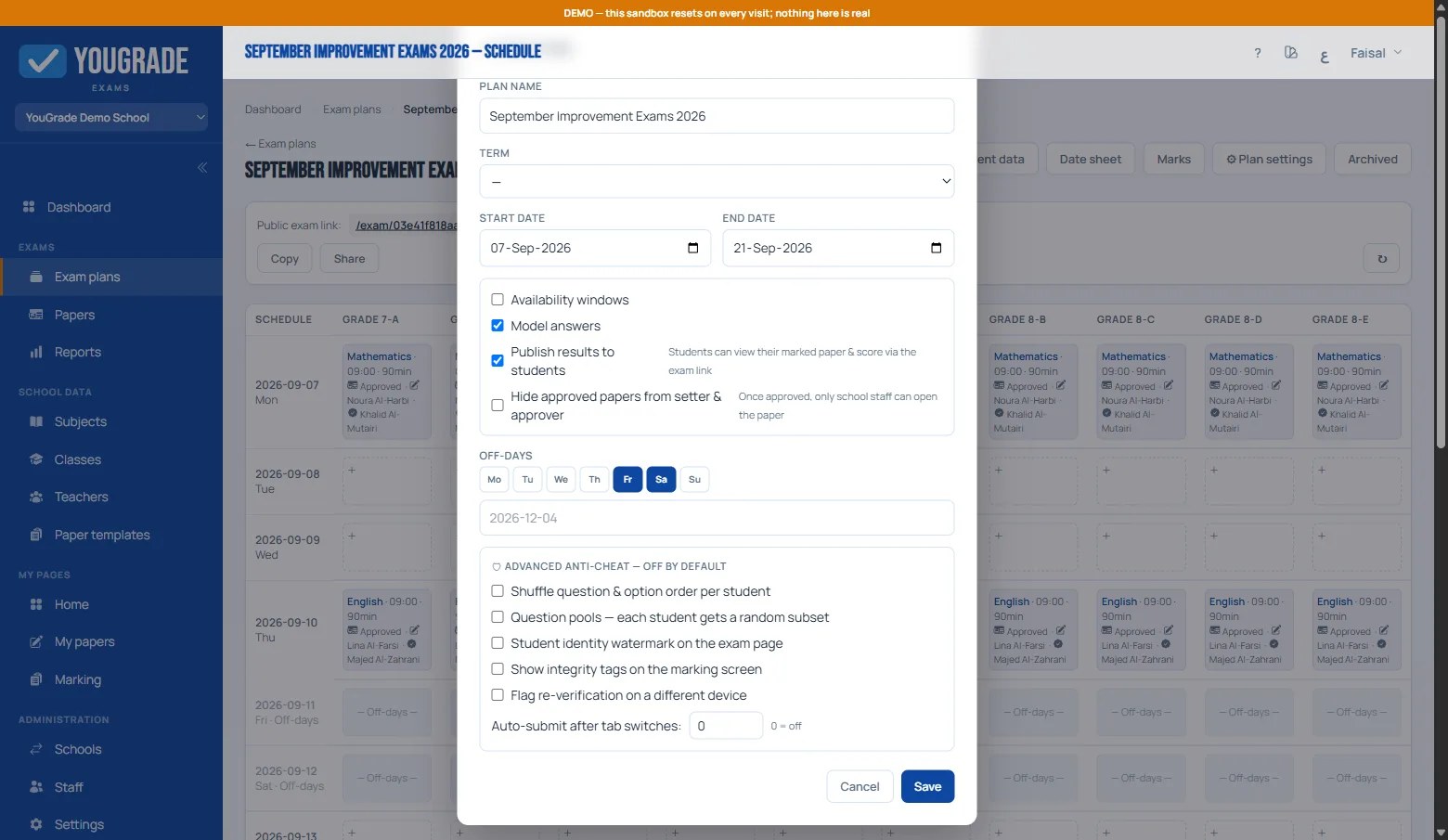
Reference⚙ Plan settings → Advanced anti-cheat. All six are OFF by default — enable per plan as needed:
- Shuffle — every student sees questions (and MCQ options) in a different order.
- Question pools — when a section has required_count lower than its question count, each student gets a different random subset.
- Watermark — the student's ID and name tiled across the exam page; leaked screenshots become traceable.
- Auto-submit on tab switches — set a number (e.g. 3); reaching it submits the exam automatically.
- Integrity tags — markers see warning chips (tab switches, fast finish, multiple devices) on each student's marking screen.
- Re-verify flag — flags students who verified their identity on more than one device.
Everything is logged to the Integrity report — filter by plan, class or student.
Related
How students take exams (no accounts) →
The integrity report →
Marks grid, absences & export →
Why Schools Are Moving Exams Online →
Still stuck? Contact us