
← Help
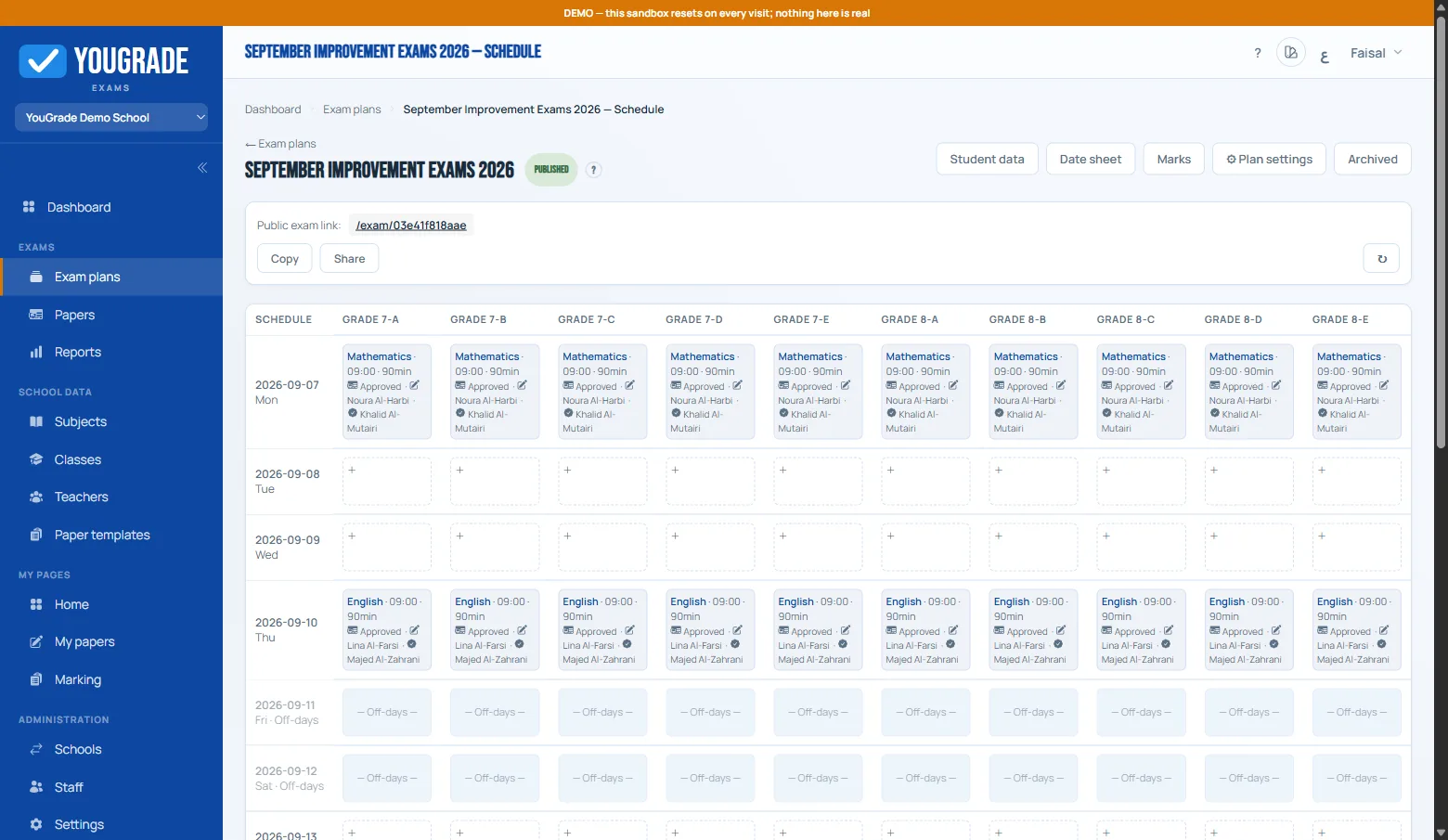
The schedule grid
Exam workflowThe grid is your date sheet in the making: dates down the left, classes across the top. Click an empty cell to place an exam.
- Per cell — pick subject, start time and duration; edit or delete any time.
- Off-days — set weekly off-days and holiday dates in ⚙ Settings; blocked cells can't be clicked and show as holidays on the date sheet.
- Availability windows (plan setting) — fixed means the exam runs [start → start+duration]; duration lets a student start any time after the start time and still get the full duration.
- Subjects per class — the dialog only offers subjects the class takes in this plan (set on the plan's subjects step).
The printable date sheet renders the same matrix for students and parents.
Related
Paper templates & question types →
Assigning papers to teachers →
Reviewing & approving papers →
Authoring a question paper →
Still stuck? Contact us