
The Exam Date Sheet, Generated: Dates by Classes in One Grid
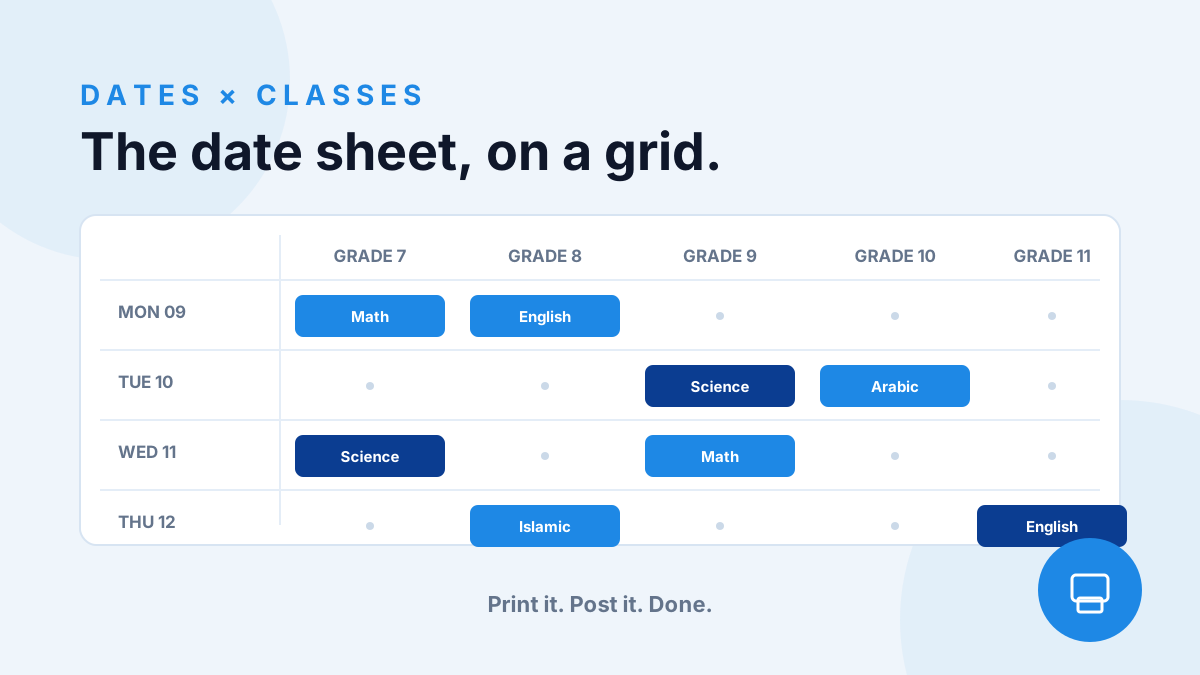
Ask any exam office what breaks first every term and it is the date sheet. Eleven grades, nine subjects each, one wrong cell and the whole notice board is wrong — so it gets rebuilt in Excel, reformatted in Word, reprinted, re-announced.
The fix is not a better document. It is stopping the document from being the source.
When the schedule lives as a grid — exam dates on one axis, classes on the other, each cell a subject with a time window — the date sheet becomes a view, not a document. Change a cell and the sheet is already right; there is nothing to reformat because nothing was ever typed twice.
The printed version matters more than it sounds. The same grid exports as a clean bilingual date sheet — the thing that goes on the notice board and home to parents. Weekends and school holidays are already blocked on the grid, so they never appear as exam days on the printout.
One practical habit from schools that run this well: schedule the heaviest subjects early in the week and keep at least one buffer day before the last exam — the grid makes the gap obvious when you look at it, which is exactly when you want to notice.
And when a student or parent asks 'when is our Math exam?' — the answer is the same link that verifies them into their own schedule. No PDF to resend, no version to correct.
Try YouGrade free — set up your school in minutes.
Staff sign in